
6.2 AutoSampler8
Open Input > Modules > AutoSampler8 to configure connected AutoSampler8 modules and access their supported readings, pump settings, and manual controls. Connect SmartConfig2 to SmartSampler2 first and allow the device settings to load automatically.
Basics and live readings
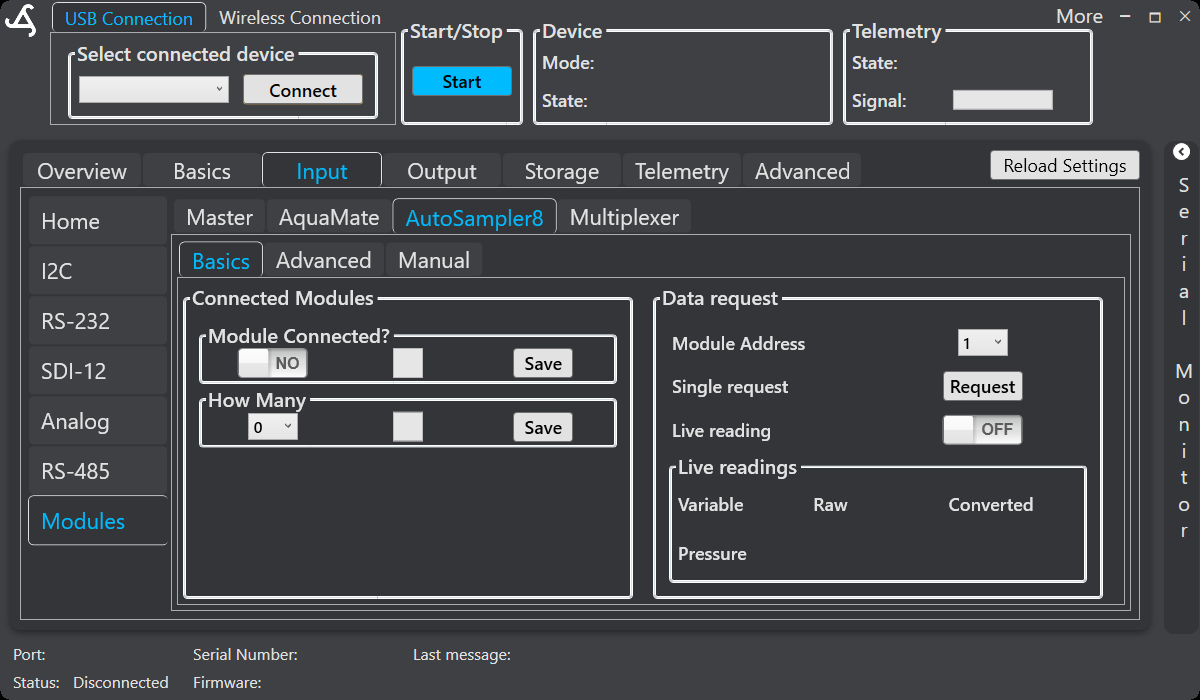
In Connected Modules, set Module Connected? and select How Many, then save each setting. In Data request:
- Select the Module Address.
- Use Request for a one-time data request.
- Turn Live reading on or off for continuous feedback.
- Review returned values in the Live readings table. Where available, the table shows the variable, raw value, and converted value.
Use a single request first when checking a newly connected module. If the module does not respond, check the address, wiring, power, and physical installation before enabling continuous readings.
Advanced pump settings
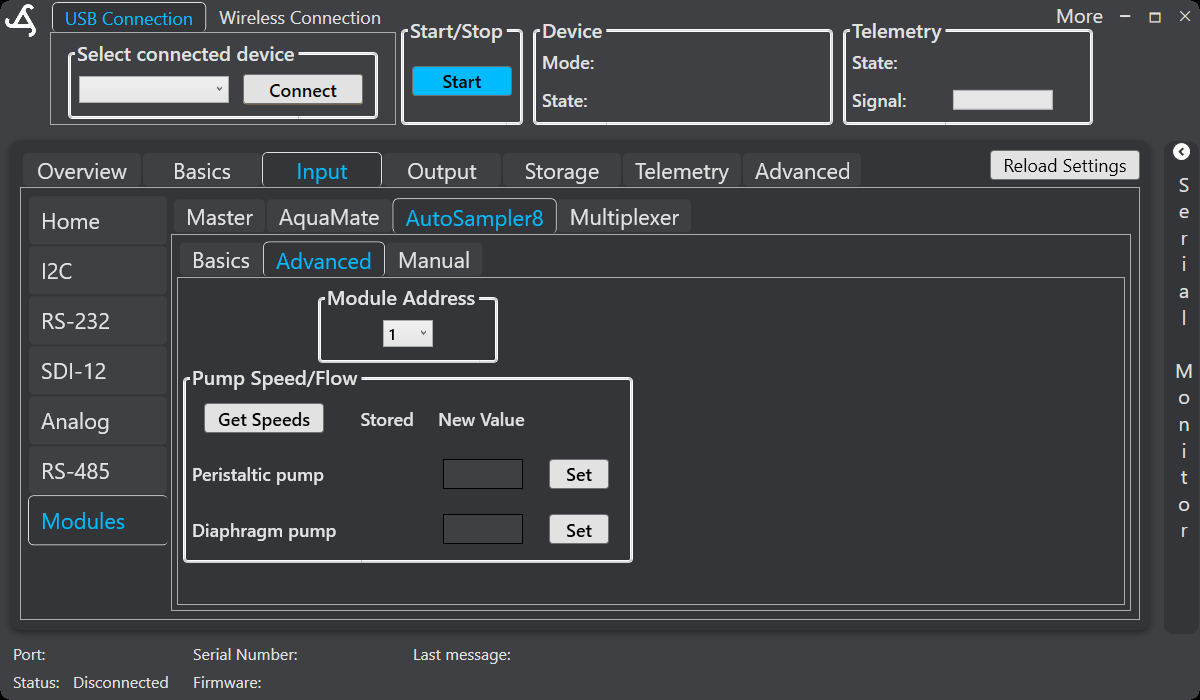
Select the required Module Address and choose Get Speeds to retrieve the stored values. Enter a new value for the supported Peristaltic pump or Diaphragm pump, then select Set to apply it to the module.
Make small changes and verify the result with a controlled test or live reading. Ensure that tubing and the complete fluid path are correctly installed before operating a pump.
Manual controls
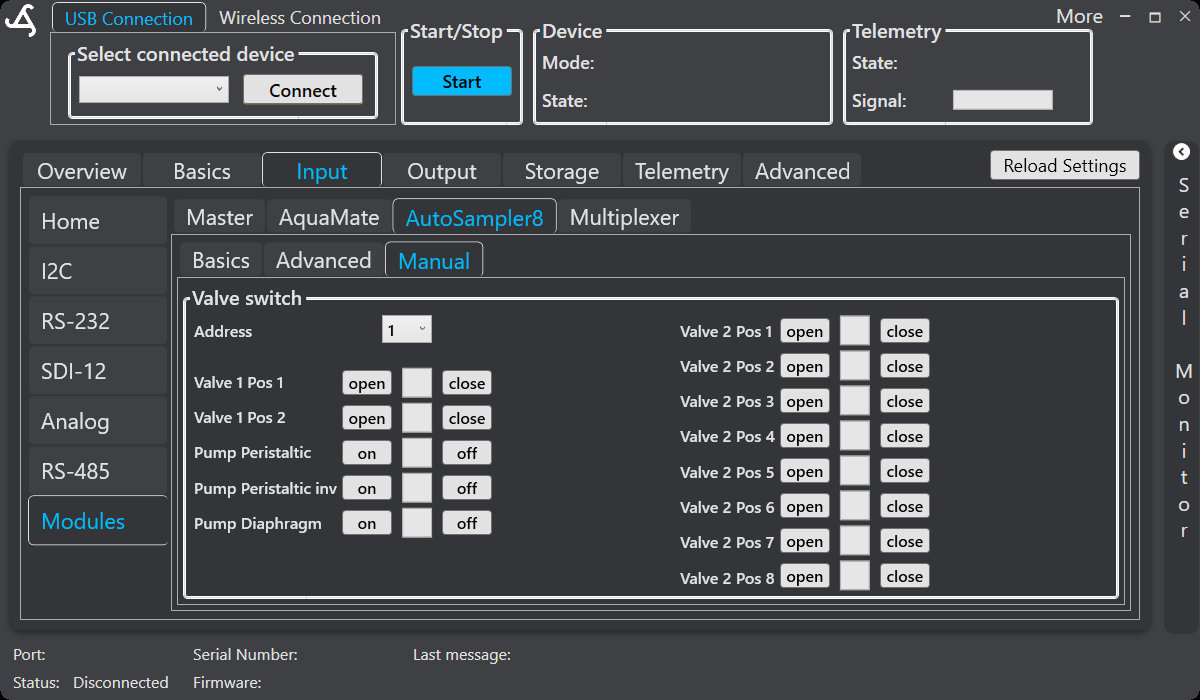
Select a module address before using the controls. The screen provides direct controls for supported AutoSampler8 hardware:
- Valve 1 Pos 1 and Valve 1 Pos 2: Open or close each position.
- Pump Peristaltic: Switch the peristaltic pump on or off.
- Pump Peristaltic inv: Switch the inverted peristaltic-pump control on or off where supported.
- Pump Diaphragm: Switch the diaphragm pump on or off.
- Valve 2 Pos 1–8: Open or close each supported position.
Stop an automated program before switching valves or pumps manually. Confirm the fluid path, collection containers, and waste route first, and return the module to its required operating state before resuming automatic sampling.
AutoSampler8 sampling and user-defined programs
The TreeFlux sampler mode can coordinate supported module readings, chamber and tube flushing, equilibration, bag filling, and repeat processing. A user-defined program can also include a supported AutoSampler8 command with the required module address, task or position, state, and optional program-section assignment.
Use programmed commands for repeatable automated sequences and the Basics, Advanced, and Manual screens for configuration, verification, maintenance, and troubleshooting.
Hardware documentation
For AutoSampler8 installation, fluid paths, environmental requirements, and safe operation, see the verified SmartSampler2 AutoSampler8 hardware reference.