
5.1.8 Variables, parameters, and runtime placeholders
Many SmartConfig2 action settings accept either a fixed value or a supported runtime placeholder. The available choices depend on the action and field. To configure a value, double-click the action block and select the required option in its configuration window. Value selectors use descriptive labels such as User-defined parameter A, Counter U, and Formula result (r).
A fixed value is appropriate when a program should always use the same setting. A runtime value is evaluated when the action executes. For example, a Delay can use a fixed duration or a supported parameter or formula result. In a comparison, each comparison value can be configured independently.
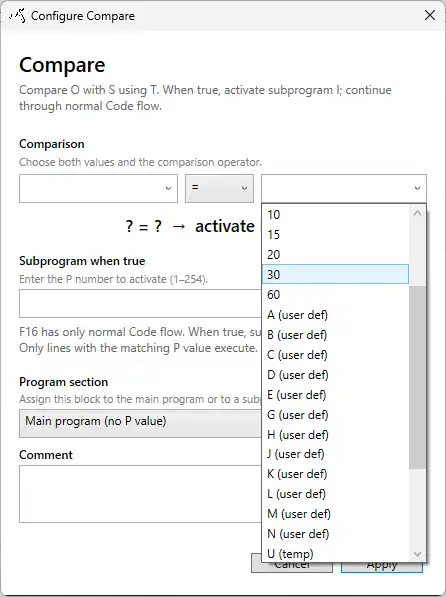
Supported runtime values
The supported program value model includes sensor inputs for formulas, user-defined parameters, temporary storage, pulse counters, and the most recent formula result. The selector shown for an action is authoritative: not every action field accepts every value.
Sensor inputs in formulas
The lowercase variables a, b, c, and d are available as formula inputs. Each variable is assigned to a one-based position in the latest comma-separated sensor-data string. Enter 0 when an input is unused. If a selected position is unavailable, that formula input is treated as zero.
| Variable | Meaning |
|---|---|
a | Selected sensor-data position 1 |
b | Selected sensor-data position 2 |
c | Selected sensor-data position 3 |
d | Selected sensor-data position 4 |
In a formula action, configure the positions for a through d rather than assuming that they correspond to the first four fields. See User-defined formulas for formula configuration and testing.
User-defined parameters
User-defined parameters are editable program values. Use them when an operator should be able to change a value without redesigning the program. Supported parameter names include:
| Parameters | Use |
|---|---|
A–E, G, H, and J–N | Configurable program values for supported actions and formulas |
Set the required parameter in the user-defined settings before the action that uses it executes. A parameter is read at runtime, so later changes affect subsequent executions.
Temporary storage and pulse counters
Temporary storage holds intermediate runtime values. Use it to preserve a value while other calculations are performed. Temporary storage is separate from pulse counters; it is not a counter mechanism.
| Values | Purpose |
|---|---|
U–Z | Temporary runtime storage and supported counter values |
The exact label shown by SmartConfig2 identifies how a selected value is used by the configured action. Pulse-counter values can be inspected in the Simulation tab when the program uses them.
Formula result
r and R represent the result of the most recently executed formula. Use the formula result to pass a calculation to a later action, such as a formula-driven delay or another supported operation value.
The formula result is replaced when another formula executes. If a result must survive a later calculation, copy it into suitable temporary storage before executing the next formula.
Checking runtime values
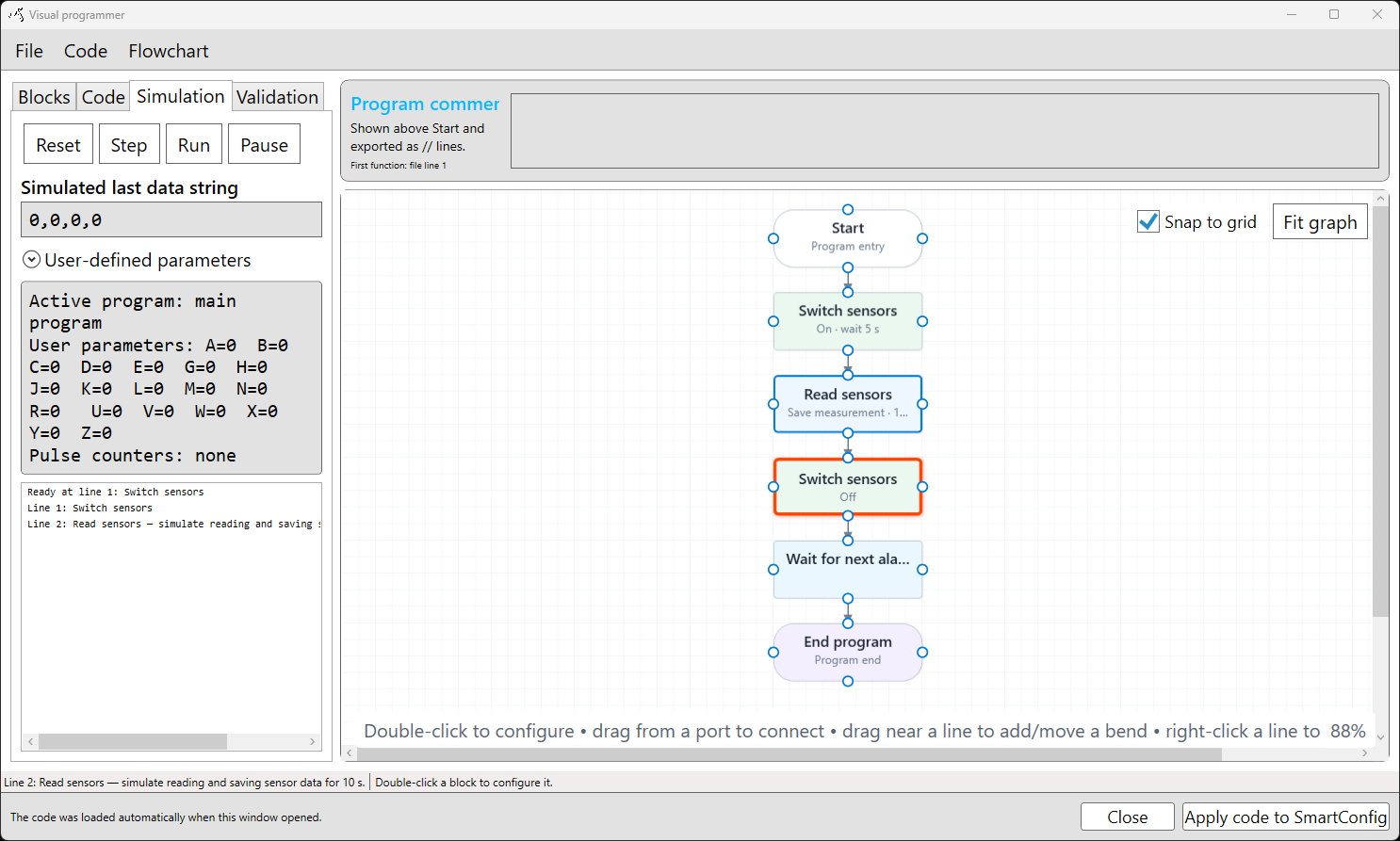
Use the Simulation tab to inspect how configured values resolve during execution. Enter simulated sensor data, set user-defined parameters, and step through the program to review the active action, temporary values, pulse counters, and formula result. Simulation checks program logic only; it does not operate the SmartSampler2 or verify physical sensor, module, output, or power-supply behaviour.
For hardware preparation and operational checks, see the SmartSampler2 Diagnostics & Maintenance reference.