
5.1.7 Program comments and documentation
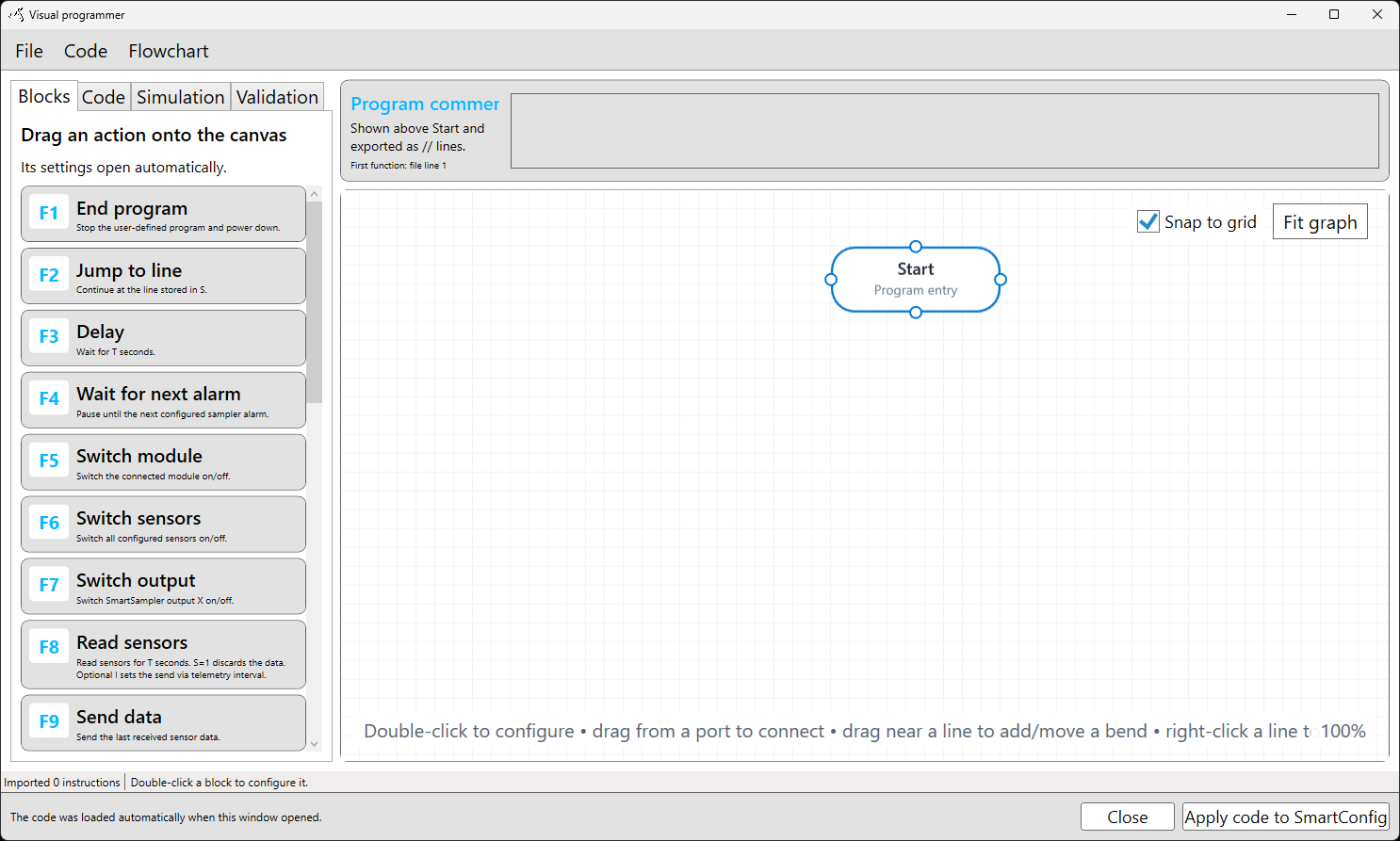
The Program comments field documents the complete SmartSampler2 user-defined program. In the Visual Programmer, the comments appear above the Start block. They do not affect program execution.
Enter a short description in the field; multiple lines are supported. When SmartConfig2 generates program code, the comments are placed before the first executable instruction as code comments. The displayed first-function line indicator reflects the resulting position of the first executable instruction.
What to document
Keep program-level comments concise and record information useful during setup and maintenance, such as:
- the purpose of the program;
- the intended measurement sequence or timing;
- the sensors or supported connected module used by the program;
- important operating conditions or prerequisites;
- the expected trigger, subprogram, flow-control, or telemetry behavior;
- the date or reason for a significant program change, when useful.
For a program that operates sampling equipment, identify the intended module and sampling arrangement without replacing the applicable hardware instructions. Consult SmartSampler2 Expansions for module-specific guidance and SmartSampler2 Diagnostics & Maintenance for basic checks.
Document individual actions
Open an action by double-clicking its block and use the Comment field to explain settings that may not be obvious from the block summary. Useful notes include:
- why a delay or alarm wait is required;
- which sensor or module state is expected before a reading;
- the purpose of a formula, temporary-storage value, counter, or comparison;
- why a subprogram is activated or where a jump is intended to go;
- the meaning of a telemetry prefix or custom value.
Action comments remain associated with their individual actions and are included beside the corresponding generated instruction. Comments should explain intent rather than repeat every setting already visible in the flowchart.
Comments and generated line numbers
SmartSampler2 user-defined programs are line-based. Program-level comments appear before the first firmware instruction, so adding or changing comments can change the displayed source line of the first function and the line numbers used by line-based flow targets.
After editing program comments, review the generated code and validate the program again, especially when it contains jumps, subprogram targets, or other line-based flow control. SmartConfig2 preserves comments when a program is imported, saved, and generated.
Keep a copy of the final comments with the deployment record. If unusual behavior occurs, also record the relevant hardware condition and inspection results. Repeated faults should be documented for support and troubleshooting in accordance with SmartSampler2 Diagnostics & Maintenance.
Related hardware: SmartSampler2 hardware reference.