
4.5.2 Settings
The Telemetry > Settings page configures cellular telemetry for the connected SmartSampler2. Connect to the device first and allow SmartConfig2 to retrieve its settings automatically. Use Reload Settings only if automatic retrieval did not complete or you need to refresh the displayed values.
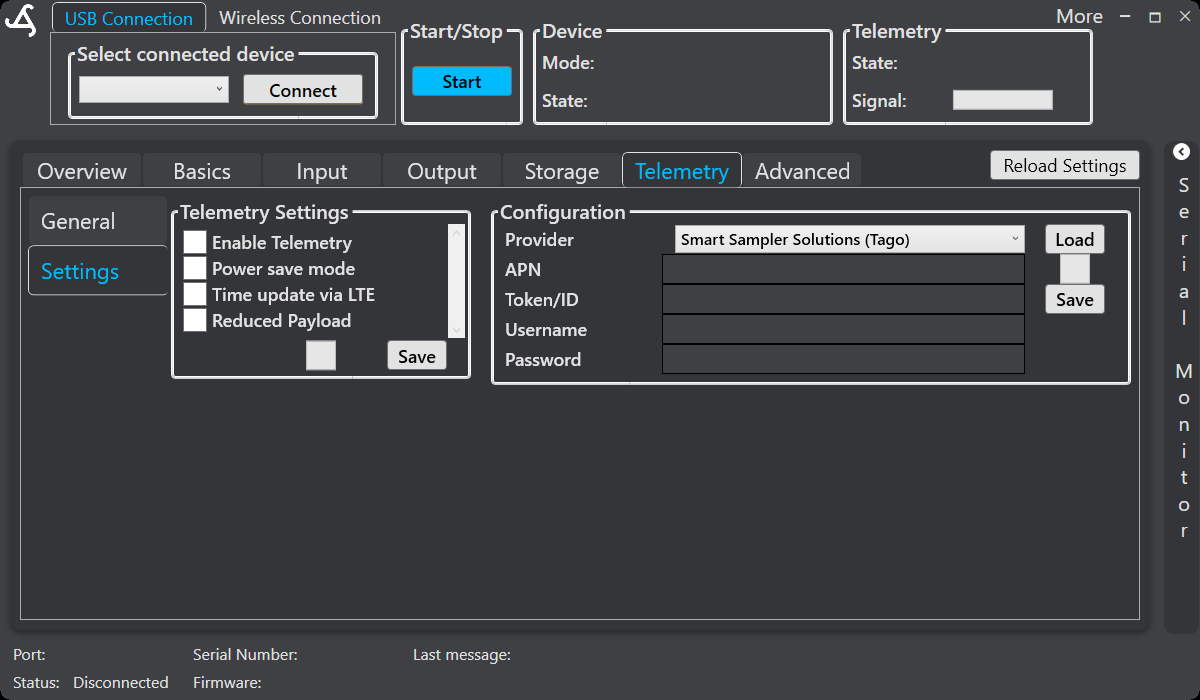
Telemetry settings
The left-hand settings panel provides these controls:
- Enable Telemetry – Enables cellular communication for SmartSampler2. In SmartConfig2 0.3.1, disabling it prompts for confirmation because wireless access also depends on telemetry.
- Power save mode – Allows the cellular module to power down when it is not required. This is particularly useful during time-triggered operation. The module powers up again when communication is needed.
- Time update via LTE – Allows SmartSampler2 to synchronize its clock from the cellular module. With firmware 0.4.0, adjust the time offset manually only when LTE time updates are disabled. Check Basics > Time before relying on scheduled operation.
- Reduced Payload – Uses the reduced-payload format when supported by the configured telemetry service.
Select the required options and select the Save button in the Telemetry Settings panel. The saved configuration must then be transferred to the connected SmartSampler2 through the normal SmartConfig2 connection workflow.
Provider configuration
The Configuration panel contains the provider and connection fields used by the telemetry service:
- Provider – Select the available telemetry provider. The displayed provider list depends on the SmartConfig2 configuration.
- APN – Enter the access-point name required by the cellular service.
- Token/ID – Enter the provider-issued authentication or device identifier.
- Username – Enter the provider-issued username when required.
- Password – Enter the provider-issued password when required.
Select Load to load the selected provider's supported defaults, then review and complete the fields. Select the Configuration panel's Save button to store the connection settings. Treat provider credentials and connection details as deployment-sensitive information; do not include them in screenshots or support requests unless specifically requested through an approved support process.
Telemetry operation
SmartSampler2 manages cellular registration and the telemetry-server connection automatically. It checks the connections, attempts recovery after an interruption, and can restart an unresponsive cellular module. Outgoing telemetry is queued while communication is being handled. When the server connection is unavailable, eligible data is retained locally for later transmission when the connection becomes available.
Queued records can include sensor data and, when enabled, recent cellular communication errors for remote troubleshooting. The payload is composed from the configured sensor and module values; unavailable selected readings remain represented as unavailable values rather than being silently removed.
With a configured telemetry service, SmartSampler2 can exchange supported remote commands and settings, acknowledge supported requests, and respond to remote triggers. Availability of remote settings and firmware-update functions depends on the applicable service and device entitlement. Follow the approved procedure for any remote update and monitor the device status while it is in progress.
Live telemetry
SmartConfig2 provides a live-data control for directly connected and supported remote connections. When live updates are enabled, SmartSampler2 can send current operating information while the required server connection is available. The interface reports when live updates are enabled, disabled, or disabled by SmartSampler2. Live updates are separate from the stored sensor-data workflow.