
AquaMate
The AquaMate section contains configuration and maintenance functions specific to AquaMate Modules.
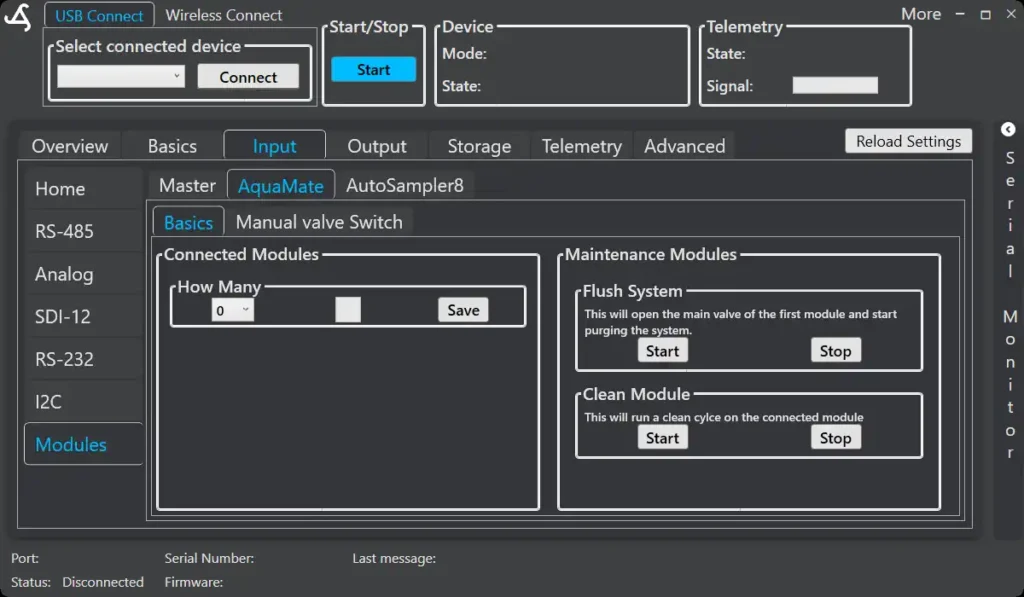
Connected Modules
Set how many AquaMate Modules are connected to the system.
- Select the number using How Many
- Press Save to apply the setting
This ensures correct addressing and coordination when multiple Modules are used.
Maintenance Modules
Basic maintenance actions for the connected AquaMate Modules.
Flush System
Starts a purge process by opening the main valve of the first Module.
Use this to:
- Remove air
- Clear residual fluids
- Prepare the system before sampling
Press Stop to end the flush.
Clean Module
Runs a cleaning cycle on the connected Module.
Use this after:
- Deployments
- Handling dirty or saline water
- Long idle periods
Press Stop to end the cleaning cycle.
Manual Valve Switch
The Manual valve switch tab allows direct control of the AquaMate valve positions.
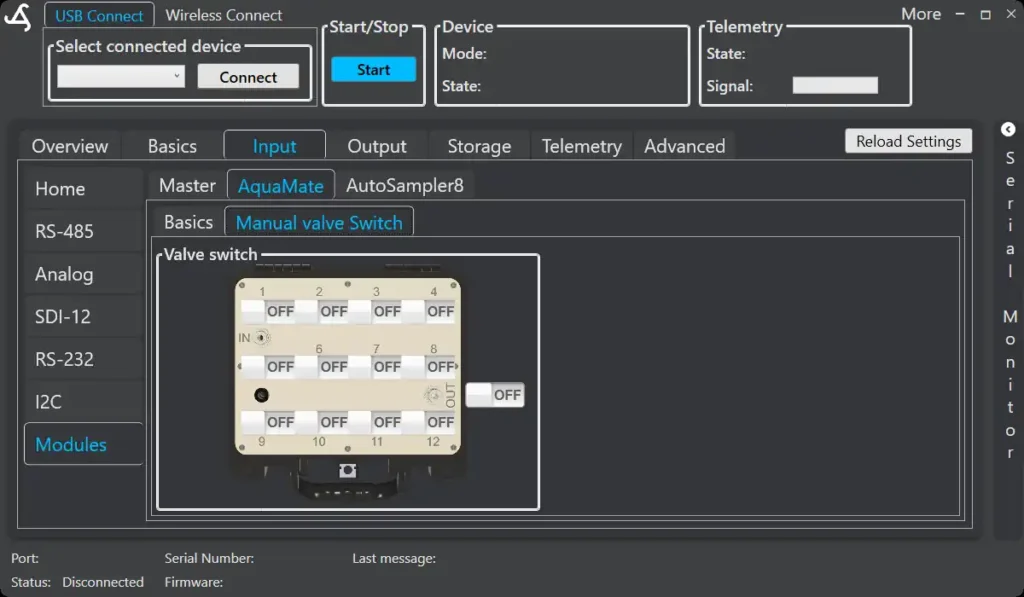
This view is mainly intended for:
- Installation checks
- Troubleshooting
- Maintenance and cleaning
Each valve position can be switched open or closed manually.
The main output can also be toggled.
Manual valve control should only be used when:
- The system is not running an automated program
- Tubing and sample containers are correctly connected
This mode is not intended for normal sampling operation.