
UART
The UART tab is used to configure serial communication and parse incoming data strings.
The SmartSampler2 supports three UART ports.
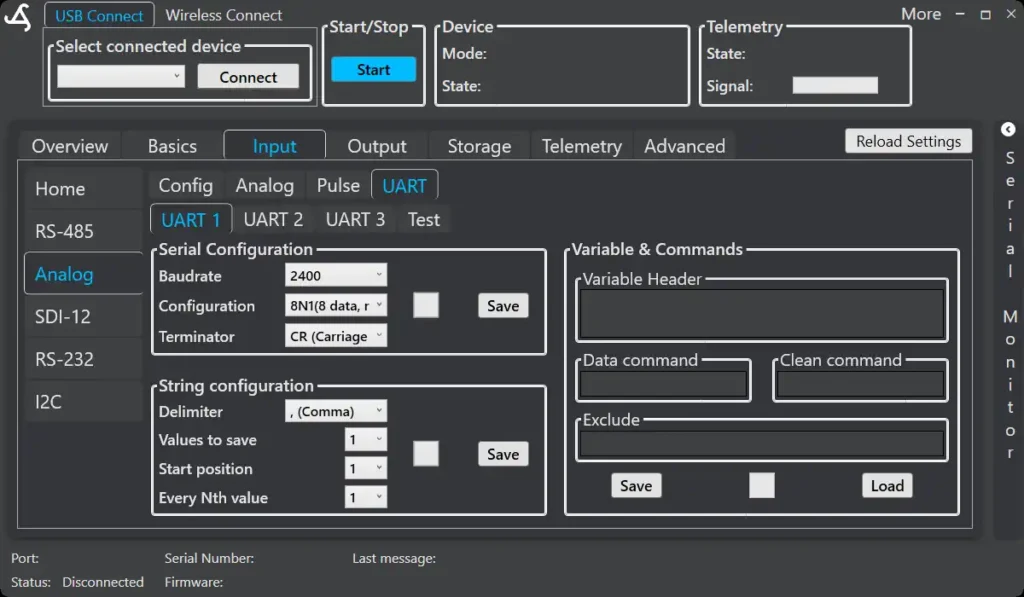
UART Selection
Choose between:
- UART 1
- UART 2
- UART 3
Only UART ports enabled in the Config tab are available.
Serial Configuration
Defines the basic serial communication parameters:
- Baudrate
- Configuration (data bits, parity, stop bits)
- Terminator (e.g. CR, LF)
Press Save to apply changes.
String Configuration
Defines how incoming serial data is interpreted:
- Delimiter – character separating values
- Values to save – number of values extracted
- Start position – first value position
- Every Nth value – skip factor for incoming data
This allows flexible parsing of sensor output strings.
Variables & Commands
Used for sensors that require commands or structured responses.
Available fields:
- Variable Header – label for incoming data
- Data command – command sent to request data
- Clean command – optional reset or cleanup command
- Exclude – removes unwanted parts of incoming strings
Settings can be saved and loaded for reuse.
Test
The Test tab allows sending manual requests and viewing UART responses.
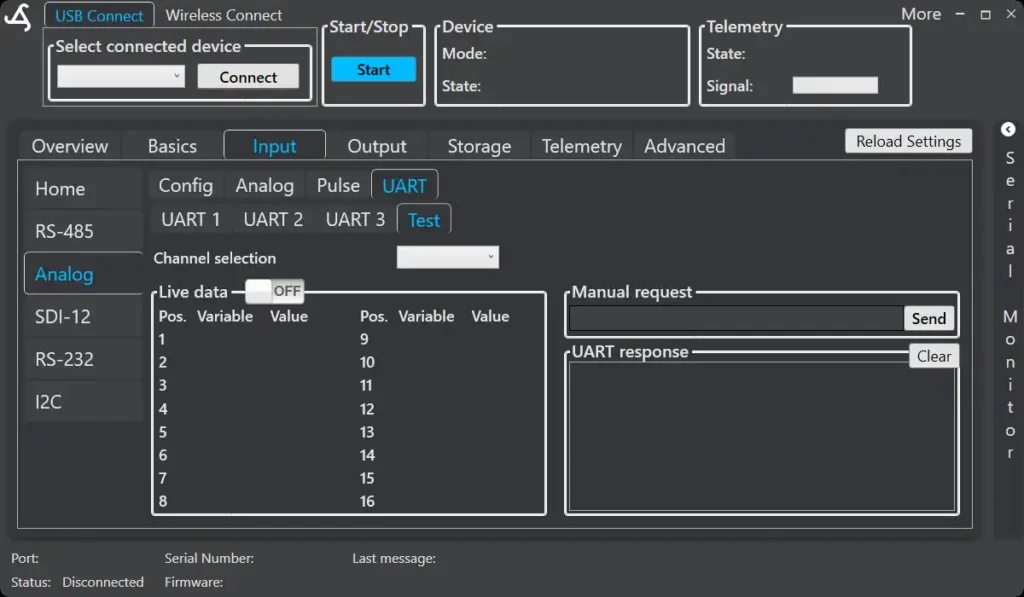
This is useful for:
- Verifying communication
- Testing commands
- Inspecting raw sensor output
The Test tab is intended for setup and troubleshooting only.