
Pulse
The Pulse tab is used to configure and monitor pulse-based inputs such as flow meters or counters.
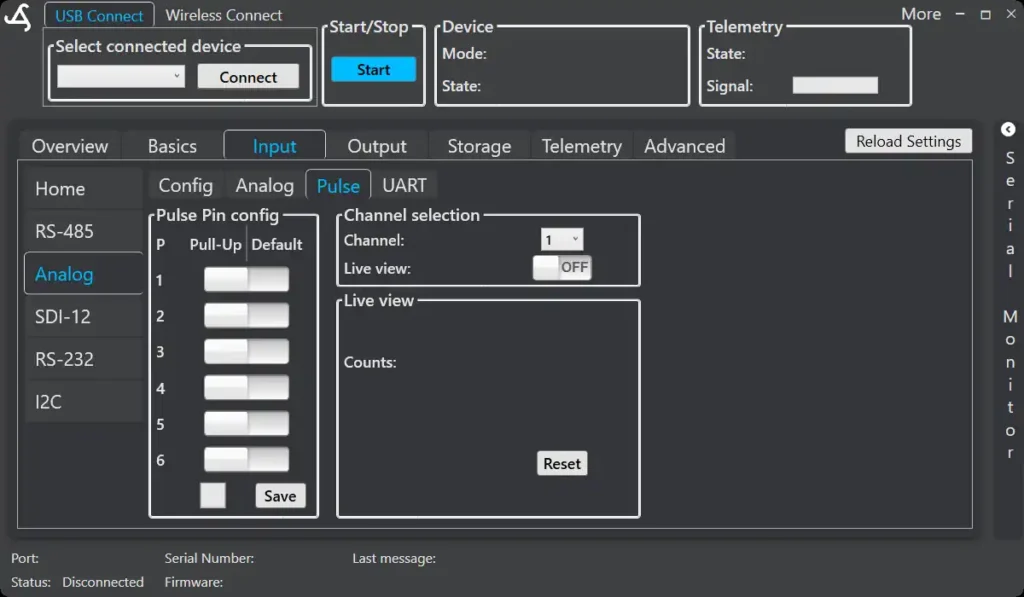
Pulse Pin Configuration
Each pulse channel can be configured individually.
Available options per channel:
- Pull-Up – enables an internal pull-up resistor
- Default – uses the default input configuration
Use pull-up only if required by the connected sensor.
Channel Selection
Select the pulse channel using the Channel dropdown.
Only channels configured as Pulse input in the Config tab are available.
Live View
Enable Live view to monitor incoming pulses in real time.
Displayed value:
- Counts – number of detected pulses
Use Reset to clear the counter.
Live view is mainly used for testing sensor wiring and signal quality.